
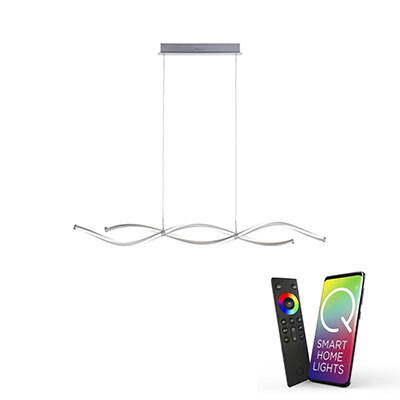
Smart Bar Pendant Lights
Bar pendants with integrated app control
Smart bar pendants for kitchen islands and long dining tables. App, voice and scene control built in — scene switch between cooking, dining and evening moods from one pendant fitting.
Why a bar pendant is a great candidate for smart
Bar pendants hang over the single most multi-use surface in the house — the kitchen island or long dining table. Same fitting, radically different lighting needs at different times:
Cooking prep — cool white (4000K), full brightness, every light on. Task-focused, shadow-free, all hands on deck.
Family dinner — warm white (2700K), 50% brightness. Softer, more relaxed, conversation-friendly.
Evening at the island — very warm (2700K or warmer), 20–30% brightness. Drinks, unwinding, low-key ambient only.
A standard bar pendant with fixed bulbs can't do all three. A smart bar pendant with tuneable white and scene control does all three on voice command.
How smart bar pendants differ from standard ones
The smart version has two main differences from a standard bar pendant:
Integrated LEDs with tuneable white — the LEDs are built into the bar, covering the 2700K–6500K range and often full RGB colour-change. No separate bulbs to swap, no compatibility worries.
App, voice and scene control — paired to a home Wi-Fi or smart-home hub, controllable via app, Alexa, Google Home, Apple HomeKit. Dim, colour-shift, scene-trigger all without physical switches.
Beyond that, a smart bar pendant hangs and lights in exactly the same way as a standard one — same lengths (typically 90cm to 2m), same sizing rules, same installation requirements.
Scene ideas for kitchen islands
A few scenes that most island owners set up in the first week:
"Kitchen cooking" — bar to 100%, 4000K cool neutral. Any recessed downlights also on full. Task lighting for the whole work triangle.
"Kitchen dining" — bar to 50%, 2700K warm. Downlights dimmed to 30%. Wall lights at 60%. Balanced warm light for the island as dining table.
"Kitchen evening" — bar to 25%, 2400K very warm (or full-warm dim). Downlights off. Island as a low-key ambient space.
"Movie night" — bar off entirely or 5% accent only. All kitchen downlights off. The kitchen fades into the background for living-room use.
These are easy to set up in Alexa, Google Home or the fitting's companion app, then triggered by voice command or a single tap on a phone.
Wall switch and dimmer rules
As with all smart fittings: don't install on a circuit with an existing wall dimmer. Replace any dimmer with a plain on/off switch. All dimming happens through the app, voice or a smart dimmer replacement.
Keep the wall switch on for normal operation. If it's off, the smart bar pendant can't be reached by app or voice.
Installation
Smart bar pendants install like standard bar pendants — bolted to the ceiling and wired to the rose. Most need the existing rose moved or extended to centre the bar over the island rather than the room centre. Installation should be done by an electrician, who will also confirm the ceiling fixing supports the fitting's weight.
Frequently asked questions
Can I control individual lights along a smart bar pendant?
Usually not — the bar's integrated LED strip or multi-bulb circuit is controlled as one. For independent zone control, use separate smart pendants or a smart spotlight array instead.
How do I centre a smart bar pendant over my island?
The bar should centre on the island, not the ceiling rose. Most bar pendants ship with long suspension cables that allow offset from the rose. For larger offsets, the electrician can move or extend the rose position.
Do I need a hub?
Most Wi-Fi smart bar pendants connect direct to the router — no hub required. Zigbee models need a compatible hub. Product pages confirm the connectivity.
Will the smart features still work during a power cut?
No — the LEDs need mains power. What keeps working is the smart scene memory: when power returns, the fitting remembers its last scene and returns to it. Schedules resume on the next trigger time.
Related categories
- Interior Smart Lighting — the full smart interior range
- Bar Pendants — non-smart bar pendant range
- Smart Pendants — single-light smart pendant alternatives
- Linear Lighting — continuous-LED bar alternatives
- Smart Recessed Lights — downlight array alternatives