
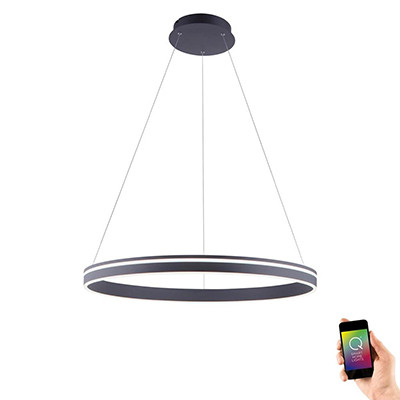
Smart Pendant Lights
Pendants that respond to voice and schedule
Smart pendant fittings with integrated app control, tuneable white and scene dimming. The dining, kitchen-island and living-room ceiling lights with the smart layer built in.
When a smart pendant beats a standard one
Pendant lights earn smart control in rooms where the mood changes through the day:
Dining rooms — bright neutral light for clearing up, warm dim light for dinner, off for TV after. One fitting, three different jobs, switched by voice or scene tap.
Kitchen islands — crisp cool-white for prep work, warmer neutral for breakfast, dimmed warm for evening drinks at the island. Tuneable white covers all three.
Living rooms — the central pendant shifts with the time of day. Morning read, afternoon bright, evening warm and dim. No getting up to change a dimmer.
Open-plan spaces — where the same pendant is seen from a kitchen, a dining zone and a living zone, scene control lets you set appropriate light for each at different times.
Smart pendant vs smart bulb in a standard pendant
As with ceiling lights, the choice is between an integrated smart fitting (this range) or swapping in a smart bulb:
Integrated smart pendant — built-in electronics, often with integrated LED, tuneable white across a full 2700K–6500K range. Cleaner design, more reliable smart features, no bulb to change.
Smart bulb in a standard pendant — swap the E27 or E14 bulb for a smart bulb. Cheapest upgrade. Works with existing pendants. Slightly limited tuneable-white range on most smart bulbs (usually 2200K–6500K range vs a fitting's dedicated chipset).
For new pendant purchases where smart control matters, integrated is the cleaner choice. For upgrading existing pendants, smart bulbs are the practical route.
Scene control — the real reason to go smart
Scenes are what turn smart pendants from a gimmick into a useful feature. Instead of fumbling for a dimmer in the dark, you set up scenes once and trigger them with a voice command or app tap:
"Dinner" — dining pendant to 40%, warm 2700K. Wall lights to 60%. Ceiling downlights off.
"Reading" — living-room pendant to 70%, neutral 3000K. Table lamps on. Accent lights off.
"Party" — all pendants at 80%, cool 3500K. Ceiling downlights on. Wall lights dim.
Alexa, Google Home and Apple HomeKit all support scene routines natively; most smart pendants pair directly with these ecosystems.
Wall switch and dimmer rules
Same rule as other smart fittings: don't combine a smart pendant with a traditional wall dimmer. Replace any existing dimmer with a plain on/off switch. All dimming happens through the app, voice or smart dimmer replacement.
Keep the wall switch on for normal operation — if it's off, the smart pendant can't be reached by app or voice.
Frequently asked questions
Can I retrofit a smart pendant into my existing ceiling rose?
Yes — smart pendants install on standard ceiling roses exactly like non-smart pendants. Replacing a like-for-like pendant is DIY with the power off. The smart functionality is set up afterwards via the app.
Do I need a hub?
Most Wi-Fi smart pendants connect direct to the router — no hub required. Zigbee-based smart pendants need a compatible hub (Hue Bridge, Alexa Echo with Zigbee). Product pages confirm.
What happens to my wall switch?
It still works as a plain on/off — but should be left on for day-to-day use so the smart pendant can be reached by app or voice. Replace any existing dimmer on the circuit with a plain switch.
Can I dim a smart pendant in groups with other smart fittings?
Yes. Smart lighting apps and voice assistants let you group fittings across rooms and control them together. A "downstairs evening" scene might dim the dining pendant, living-room pendant and kitchen downlights together to coordinated levels and colour temperatures.
Related categories
- Interior Smart Lighting — the full smart interior range
- Pendant Lights — non-smart pendant range
- Smart Bar Pendants — multi-bulb smart pendant alternatives
- Smart Ceiling Lights — flush smart alternatives
- Smart Light Bulbs — smart bulbs for existing pendants