
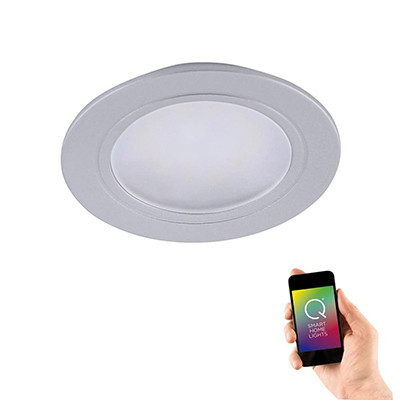
Smart Recessed Lights
Downlight arrays you can control as one
Smart recessed downlights with integrated app and voice control. Dim a whole kitchen array at once, set scenes for cooking or dining, shift colour temperature across the day.
Why smart recessed downlights change a room
Standard recessed downlights are either fully on or fully off — or dimmed together via a single wall dimmer. Smart recessed fittings turn an array of downlights into a flexible, scene-controlled lighting system:
Scene control across a whole array — "cooking" scene (all downlights on, cool 4000K, full brightness); "dining" scene (downlights dimmed to 30%, warm 2700K); "TV" scene (downlights off). One voice command or tap switches the whole kitchen between moods.
Tuneable white across the day — cool daylight for morning prep, neutral for the working day, warm for evening ambience. The same downlights, shifting colour temperature as the room changes use.
Individual zone control — some smart recessed systems let you dim different sections of the array independently. Bright over the worktop, dimmed over the seating area. Useful in open-plan kitchens and large living spaces.
Dimming without a wall dimmer — dim smoothly via app or voice. No wall dimmer needed, no compatibility worries between dimmer and fitting.
Smart recessed vs smart bulbs in standard recessed
Both approaches work. The trade-offs:
Smart integrated-LED recessed (this range) — slim, clean-line fittings with the smart electronics and LEDs built in. Tuneable white out of the box. No bulb changes ever. Slightly higher upfront cost.
Smart GU10 bulbs in standard recessed fittings — swap GU10 bulbs for smart GU10s. Cheaper per-fitting, but not all smart GU10 bulbs offer full tuneable-white range, and the bulb has to match the existing fitting's spec (dimmable-compatible, fire-rated shell).
For new-build and renovation kitchens where you're installing the fittings fresh, integrated smart recessed is the cleaner choice. For retrofit upgrades, swapping GU10 bulbs for smart ones is often faster and cheaper.
Fire-rating still matters
Smart or not, recessed downlights in ceilings with a habitable room above still need to be fire-rated. Fire-rated intumescent material restores the ceiling's fire-resistance in case of fire below. Smart recessed fittings in this range are fire-rated by default — confirm on the product page before ordering for an upstairs ceiling.
Array design with smart recessed
Layout rules are the same as standard recessed: one fitting per 1–1.5m² of ceiling area, grid spacing 80cm–1.2m apart, 40–60cm from walls. The smart layer doesn't change the array design — it just gives you more control once the fittings are in.
One extra consideration: if you want independent zone control (different groups of downlights dimming separately), the fittings need to be grouped correctly in the app or hub. Most smart systems let you group fittings after install, but planning the zones in advance — e.g. "worktop zone" vs "seating zone" — makes the setup faster.
Wall switch compatibility
Don't combine smart recessed fittings with a traditional wall dimmer. Replace any wall dimmer with a plain on/off switch. All dimming happens through the app, voice or a compatible smart dimmer replacement.
Frequently asked questions
Do smart recessed downlights need to be fire-rated?
If the ceiling has a habitable room above (bedroom, living room, kitchen), yes — fire-rating is a building regulations requirement regardless of whether the fitting is smart or not. Most smart recessed fittings in this range are fire-rated by default; confirm on the product page.
Can I control individual downlights separately?
Depends on the system. Each individual fitting is usually addressable in the app, so you can create zones that dim or switch independently even within a single physical array. Very useful for open-plan spaces where different areas want different lighting at different times.
Do I need a hub?
Most Wi-Fi smart recessed fittings connect direct to the router, no hub needed. Zigbee-based systems (Philips Hue, some SmartThings fittings) need a compatible hub. Product pages confirm the connectivity.
Can I still switch them on at the wall?
Yes, via a plain on/off wall switch. The fitting remembers its last scene and returns to it when switched back on. If the wall switch is left off, the smart fitting can't be controlled at all — so leave the wall switch on for normal day-to-day use and rely on app/voice for control.
Related categories
- Interior Smart Lighting — the full smart interior range
- Smart Lighting — parent smart range
- Recessed Downlights — non-smart recessed range
- Smart Spotlights — surface-mount smart spotlight alternatives
- Smart Ceiling Lights — non-recessed smart ceiling alternatives